AI Comment Suggestions & Strategy
Note: You’ll need the Professional or Power User plan, to use this feature!
Commenting with AI is a tricky subject
In fact, we don’t love it, for two reasons:
It’s REALLY easy for it to go sideways on you if you miss important context
Left unchecked, it’s easy to “tune out” and turn into an automated drone.
This, for example, is how NOT to do it (see the responses to this post)
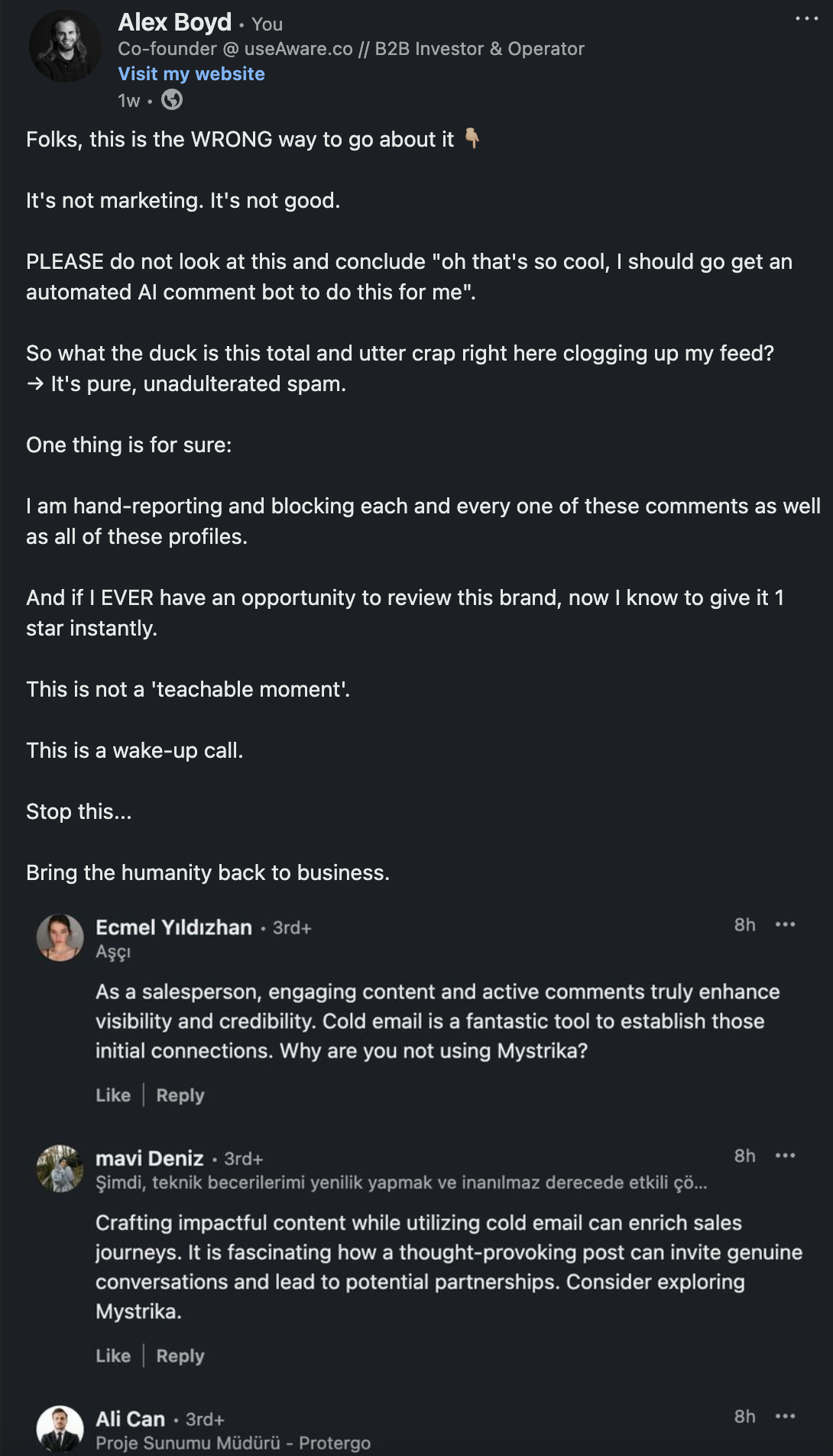
Automated commenting with AI gone rogue and wrong
Another case against automated, unthoughtful commenting can be found here:
For example, if Ken had written this comment with AI, it probably would not have gotten the reach it did:
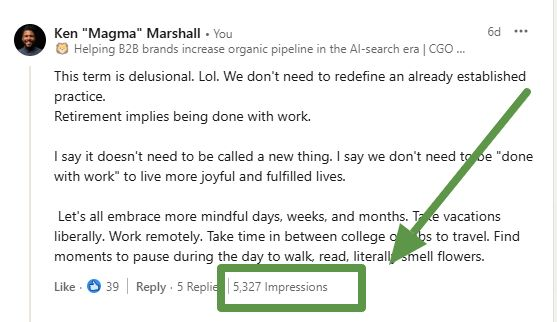
A comment with 5k+ impressions, by itself!
Now, it’s true:
Not all AI commenting is automated, and not all automated commenting is AI. If we thought this had no value at all, it wouldn’t be a product feature!
But we know that many people want AI suggestions for a variety of use cases:
To have a starting point to write their own comment
To write in a language that they aren’t skilled in
To help them get in the habit without spending as much time
To get a suggestion that they can take or leave
How to use the Aware commenting AI
Using the AI suggestions is as simple as hitting the AI button on the feed card, choosing a prompt, and letting it generate. Depending on your plan, you might have more or fewer monthly generations of AI comments included:
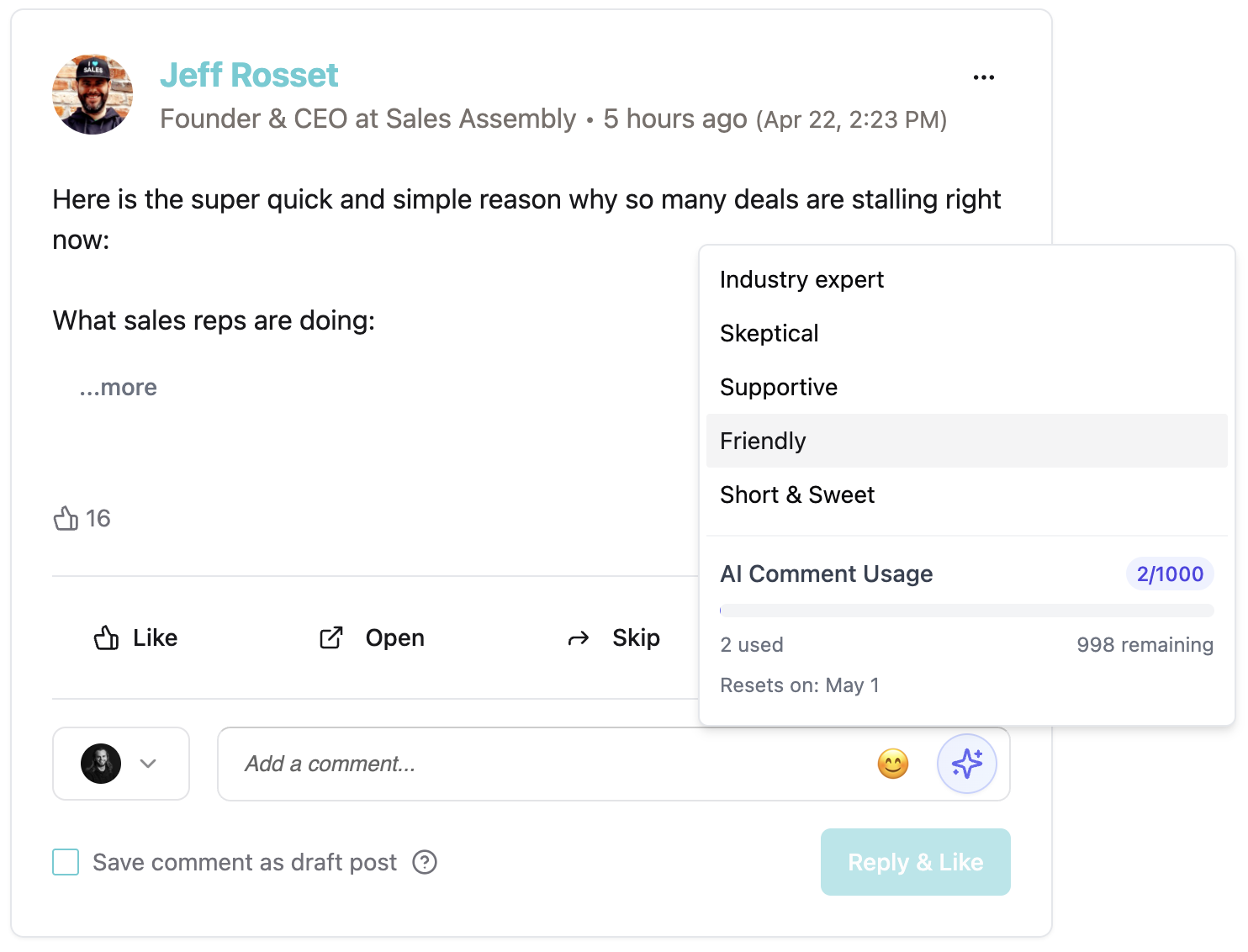
The Aware AI comment prompts
What each prompt does
Industry Expert: reads the topic of the post, picks from an expert in that topic, and writes a comment like that expert would
Skeptical: responds with a concern or a question that isn’t in direct agreement
Supportive: creates a supportive series of statements
Friendly: writes an enthusiastic comment
Short & Sweet: picks from either a relevant emoji or a low-thought encouraging 1-2 word answer
Note that the prompts are not customizable in-app, but we sometimes tweak them on our end to improve performance.
The Comment Model: Generic vs Trained
If you haven’t done so already, you can fine-tune an AI model on your history of posts, up to 200 of them, in the Posts tab.
If you have done this… the AI comment suggestions will also use this fine-tuned model
If you have not done this… the AI comment suggestions will use a generic model
Some people, particularly those that are new to LinkedIn or have not developed their writing style, may find that they actually prefer the generic model.
The answer to which one is better for you will depend on how much you want your comments to sound like your past history of posts!